
.svg)
.svg)
.svg)


Product + Company Updates
Say goodbye to manual statement uploads. Hello fileAI x Xero bank feeds
Sep 1, 2026
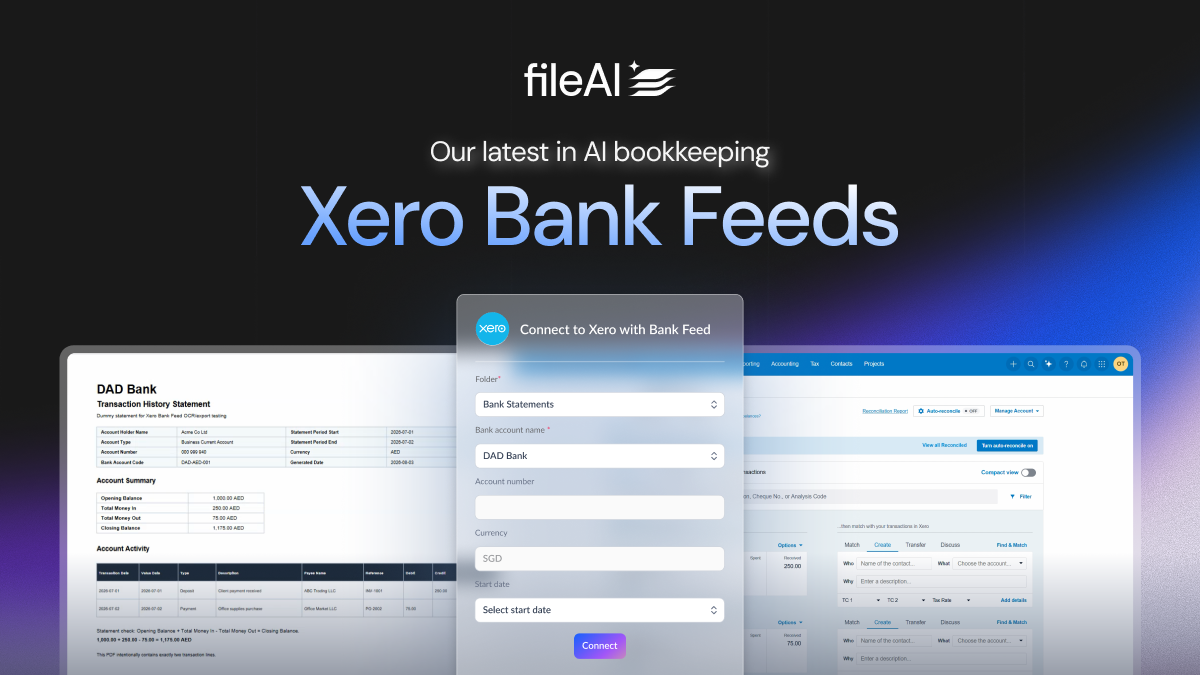
If you've ever processed a bank or credit card statement and then had to download the result and re-upload it into Xero manually, that extra step is going away. fileAI now connects straight into Xero's Bank Feeds, so the transactions we extract from your statements land exactly where a live bank feed would, ready for you to reconcile, with nothing to download and nothing to re-upload.
The problem this solves
Today, if your bank doesn't already feed live transactions into Xero, getting statement data usually means one of two things: exporting an already-coded transaction that skips reconciliation entirely, or downloading a file from fileAI and manually re-uploading it through Xero's own import tool. Both work, but both involve you moving a file around and doing an extra step that shouldn't be necessary in 2026.
What's changing
We've integrated with Xero's new Bank Feeds API, the same technology banks like HSBC and DBS use to push live transactions into their customers' Xero accounts. Because of this beta, non-bank platforms like fileAI can now do the same thing with the statement data we extract on your behalf.
In practice, that means: fileAI reads your bank statement (PDF, CSV, any format your bank sends), extracts every transaction accurately, and delivers it directly into your Xero Reconcile tab (just like it would if your bank were feeding it in live). You still reconcile in Xero exactly as you always have, you just never have to touch a file in between.
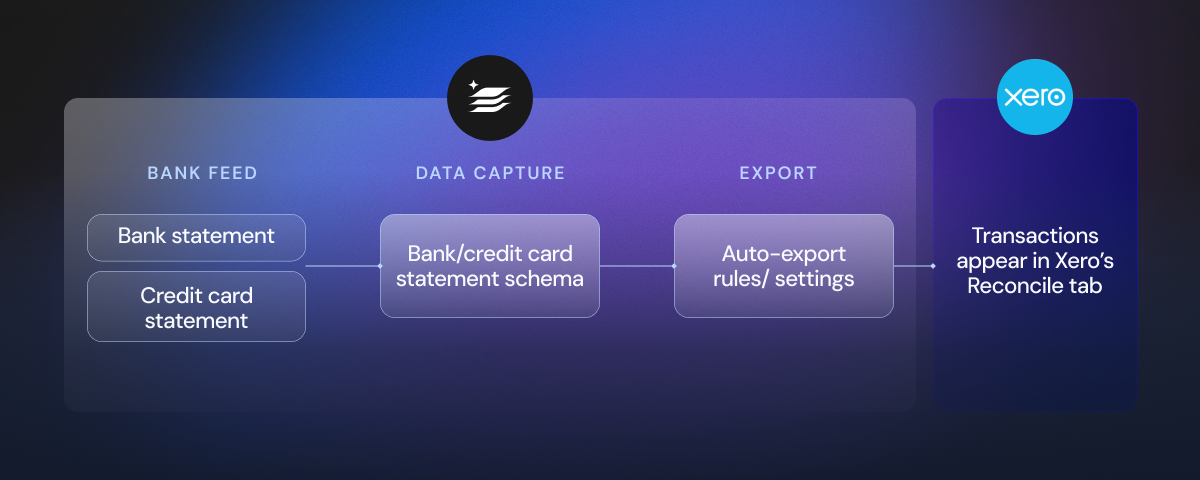
How it works, in plain terms
- Connect once. If you've already connected fileAI to Xero, there's nothing new to authorize beyond a single extra permission. You'll grant it in the same consent step you're used to.
- Add the bank account you want to feed. You choose exactly which account(s) to connect, one at a time. Nothing is connected automatically, so you stay in control of what flows through.
- Pick a start date. This is a simple one-time step where you tell us the date to start from, so there's no overlap with anything you've already brought into Xero manually. Think of it as telling fileAI "start the feed from here."
- That's it. From that point on, every statement you process through fileAI for that account can flow straight into Xero automatically, on a schedule, or on a trigger.
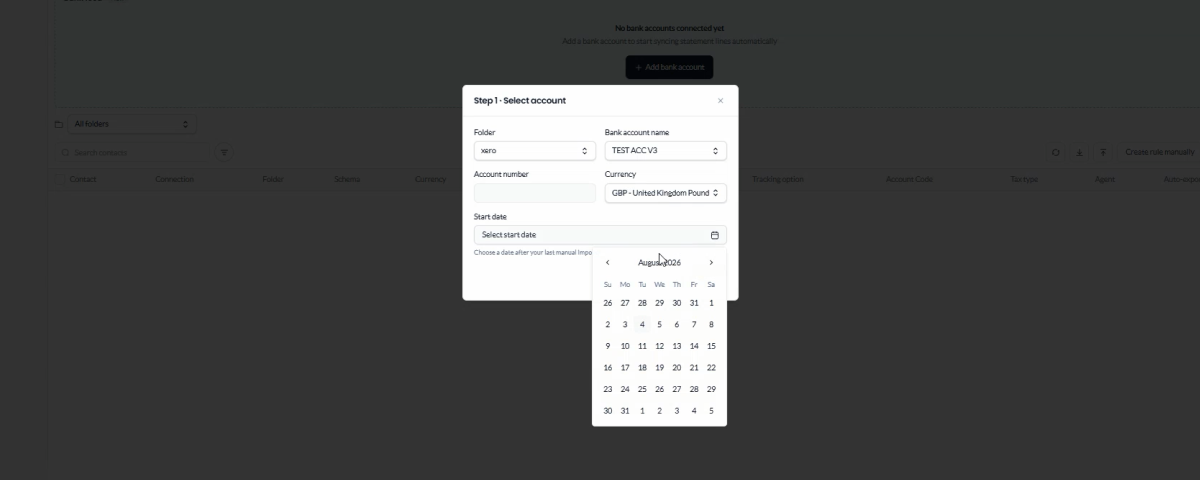
Why this is better for you
- No more file shuffling. Downloading a CSV from fileAI and re-uploading it into Xero was always a workaround. Now the data goes straight through.
- It feels like a real bank feed. Transactions show up in the same Reconcile tab you already use every day, sitting alongside anything your actual bank feeds in. There's nothing new to learn.
- You're still in control. Reconciliation still happens in Xero, the way it always has. fileAI isn't posting finished transactions behind your back, it's simply handing Xero clean, accurate statement lines for you to match and confirm, same as a bank would.
- Built to avoid duplicates. The one-time start date step exists specifically so your new automated feed doesn't collide with data you've already brought in manually. And any transaction fileAI has already sent won't be sent again.
- Powered by the same extraction accuracy you already trust. Every transaction — date, amount, direction, description, and where available, the payee or reference — is pulled using fileAI's document intelligence, the same engine behind all our other Xero exports. Nothing about the quality of your data changes; only how it reaches Xero does.
A quick note on what this isn't
This feature is about getting statement data into Xero faster and more reliably, it doesn't change how reconciliation works, and it isn't a fully automated "set and forget and never look at it again" system. You'll still review and match transactions in Xero as normal, we've just removed the manual download-and-upload step that used to sit in front of that process.
Getting started
If you're already using fileAI to process bank statements for Xero, this update is available to you now. Head to your Xero connection settings, add the bank account you'd like to feed, choose your start date, and you're set. No more downloading, no more uploading, just accurate transactions ready to reconcile.
New to fileAI? Set up your account and Xero bank feeds with one of our team today.
Say goodbye to manual statement uploads. Hello fileAI x Xero bank feeds

.png)
Business Type

Location
fileAI feature highlights
Product + Company Updates
Author
fileAI
Date
September 1, 2026
.png)