


Quick answer
We’ve been busy launching fileAI’s public platform this quarter, bringing enterprise-grade AI automation to everyone. In Q3 2025, fileAI shipped three major updates: AI schemas, AI Validation with citations, and developer access through a new API and MCP server. Together, they give you the building blocks for faster, more reliable workflows (and we’re just getting started). Read on for a few key updates to get you up to speed.
What are AI schemas in fileAI?
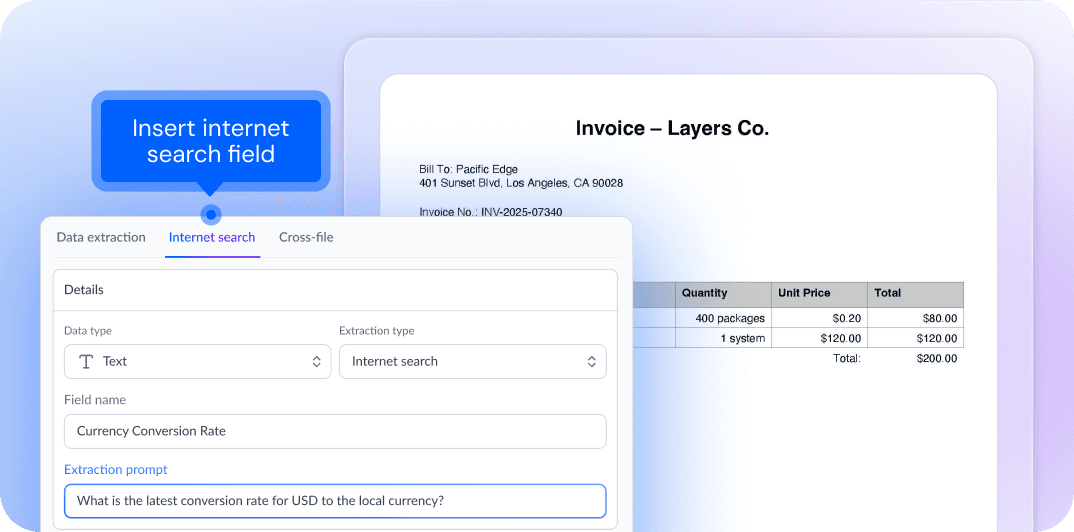
AI schemas turn messy files into clean, ready-to-use data without manual configuration. fileAI auto-classifies each file and generates a schema you can edit and enrich using natural language prompts. Add new fields via internet search, set guardrails to keep extracted data consistent, or format fields to fit your needs. Flexible and easy to use, AI schemas put you in control of your data.
Learn more in the AI schemas documentation.
How does fileAI show where extracted data comes from?
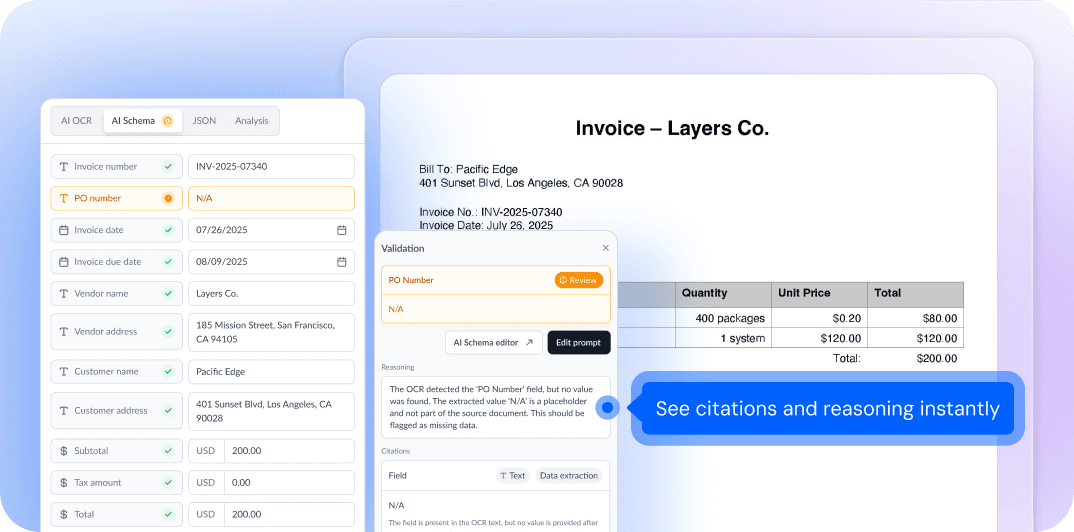
Now you can see exactly where extracted values come from. With our new AI Validation component, fileAI anchors every result to its original source, displaying both the citation and the reasoning behind it. This makes it easy for your team to verify critical information, reduce manual checks, and build trust in AI outputs.
Learn more in the citations and validations documentation.
How can developers build with fileAI?

We’ve launched two major ways for developers to build with fileAI. Our new API lets you programmatically access document processing and validation, while the fileAI MCP (Model Context Protocol) server makes it possible to embed fileAI directly into your AI agents. Together, these tools give you flexible, secure access to fileAI wherever you’re building.
Get started with the fileAI API documentation or the fileAI MCP documentation.
Quick links
Explore our new documentation hub, where you’ll find our knowledge base articles, API and MCP guides.
We’re hiring! Explore our careers page for the latest job openings.
Join our Discord community for live discussions and support.
Listen: Tim Prugar, our Head of Product and Engineering, discusses the future of enterprise AI with Insignia Business Review.
We clinched top 3 product of the day for our MCP launch. See fileAI on Product Hunt.


